> ## Documentation Index
> Fetch the complete documentation index at: https://nango-wari-integration-config-credentials-api.mintlify.site/llms.txt
> Use this file to discover all available pages before exploring further.
# Factorial (API Key) - How do I link my account?
## Overview
To authenticate with Factorial using an API key, you need:
1. **API Key** - A single token that grants full admin access to your company's Factorial account and never expires.
2. **Environment** - Whether to connect to Factorial's Production or Demo (Sandbox) environment.
This guide will walk you through generating an API key from the Factorial platform.
API keys are not scoped to a user — they grant total access to the entire company account on the platform's behalf. Only a company administrator should generate one, and it's their responsibility to store it securely.
### Prerequisites
* Admin access to your company's Factorial account
### Instructions
#### Step 1: Generating your API key
1. Log in to Factorial as an administrator and go to [**Settings → API Keys**](https://app.factorialhr.com/settings/api-keys).
2. Click **New API Key**.
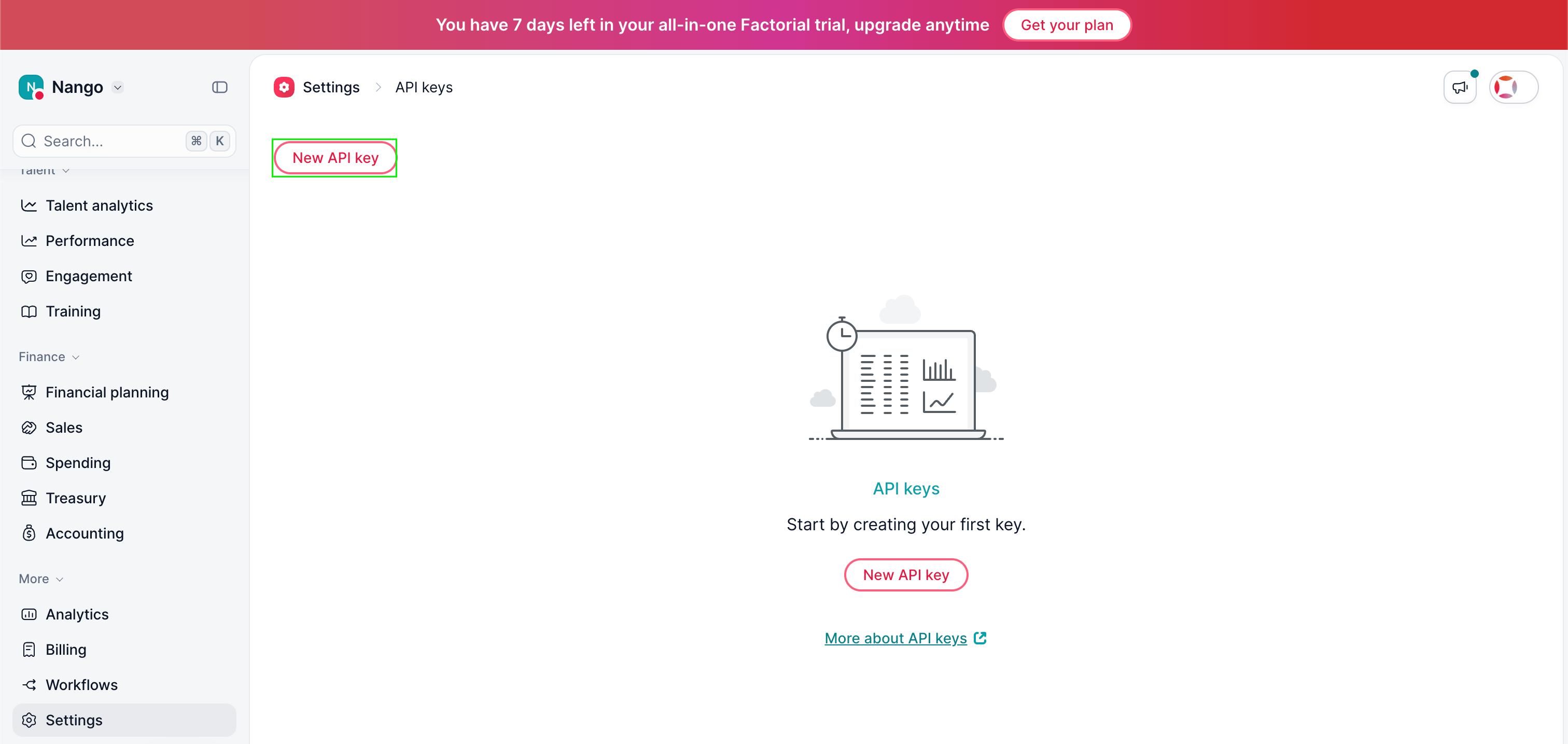 3. Enter a name for the key, then click **Get My API key**.
4. Copy the key that's shown — it is displayed only once. If you lose it, you'll need to generate a new one.
#### Step 2: Choosing your environment
In the **Environment** dropdown, select `api.factorialhr.com` for your live Factorial account, or `api.eu2.demo.factorial.dev` if you're testing against Factorial's demo/sandbox environment.
#### Step 3: Enter credentials in the Connect UI
Once you have your **API Key**:
1. Open the form where you need to authenticate with Factorial.
2. Enter the **API Key** in the field provided.
3. Select the **Environment** you chose in step 2.
4. Submit the form, and you should be successfully authenticated.
3. Enter a name for the key, then click **Get My API key**.
4. Copy the key that's shown — it is displayed only once. If you lose it, you'll need to generate a new one.
#### Step 2: Choosing your environment
In the **Environment** dropdown, select `api.factorialhr.com` for your live Factorial account, or `api.eu2.demo.factorial.dev` if you're testing against Factorial's demo/sandbox environment.
#### Step 3: Enter credentials in the Connect UI
Once you have your **API Key**:
1. Open the form where you need to authenticate with Factorial.
2. Enter the **API Key** in the field provided.
3. Select the **Environment** you chose in step 2.
4. Submit the form, and you should be successfully authenticated.
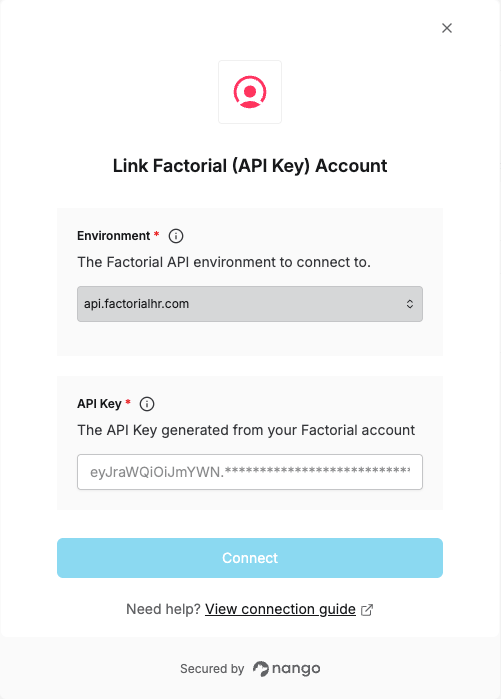 You are now connected to Factorial.