> ## Documentation Index
> Fetch the complete documentation index at: https://nango-wari-integration-config-credentials-api.mintlify.site/llms.txt
> Use this file to discover all available pages before exploring further.
# Heymarket - How do I link my account?
## Overview
To authenticate with Heymarket, you will need:
1. **API Secret ID** — The secret ID for your API client.
2. **API Secret Key** — The secret key used with your API Secret ID to generate a token for authentication.
This guide will walk you through obtaining your **API Secret ID** and **API Secret Key** in Heymarket.
### Prerequisites:
* A Heymarket account with **Heymarket API** access enabled. If your account does not have API access yet, contact Heymarket support to request it.
### Instructions:
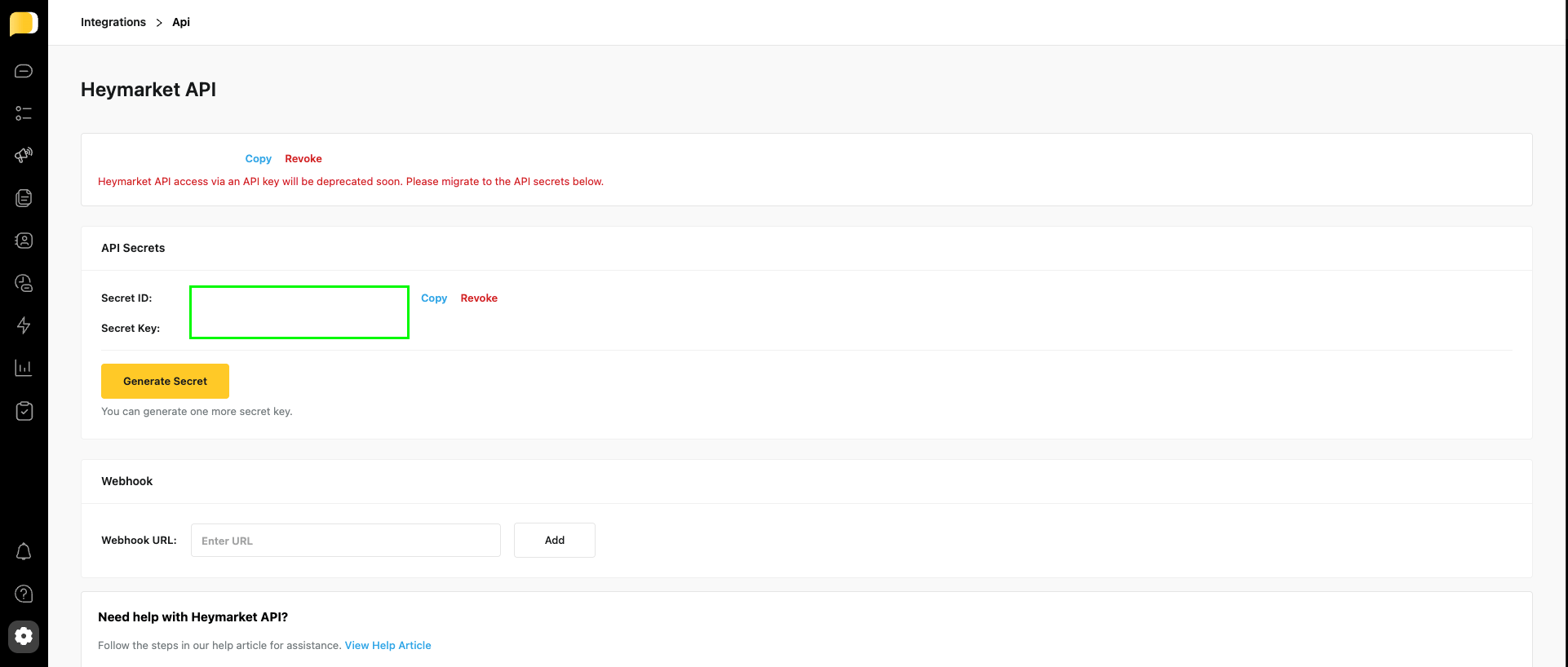
#### Step 1: Finding your API Secret ID and Secret Key
1. Log in to Heymarket and navigate to the [Heymarket API](https://app.heymarket.com/admin/integrations/api/) page.
2. Copy your **API Secret ID** and **API Secret Key** from the dashboard.
 #### Step 2: Enter credentials in the Connect UI
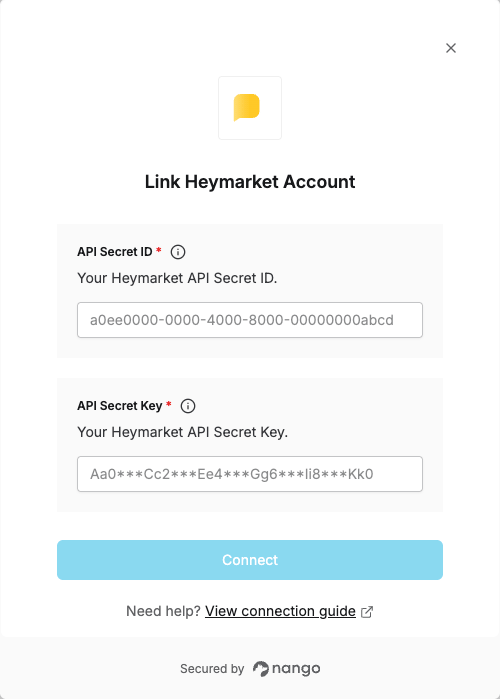
Once you have your **API Secret ID** and **API Secret Key**:
1. Open the form where you need to authenticate with Heymarket.
2. Enter your **API Secret ID** and **API Secret Key** in their respective fields.
3. Submit the form, and you should be successfully authenticated.
#### Step 2: Enter credentials in the Connect UI
Once you have your **API Secret ID** and **API Secret Key**:
1. Open the form where you need to authenticate with Heymarket.
2. Enter your **API Secret ID** and **API Secret Key** in their respective fields.
3. Submit the form, and you should be successfully authenticated.
 You are now connected to Heymarket.