> ## Documentation Index
> Fetch the complete documentation index at: https://nango-wari-integration-config-credentials-api.mintlify.site/llms.txt
> Use this file to discover all available pages before exploring further.
# NinjaOne SaaS Backup - How do I link my account?
## Overview
To authenticate with NinjaOne SaaS Backup, you need:
1. **API Host** - The host from the API URL shown in API Settings, such as `na-saas-npp.backup.ninjarmm.com` or `dropsuite.us`.
2. **Reseller Token** - The reseller token from API Settings.
3. **Authentication Token** - The authentication token from API Settings.
NinjaOne SaaS Backup was formerly known as Dropsuite, and some partner portals and API URLs still use the Dropsuite name.
### Prerequisites
* Access to the NinjaOne SaaS Backup Partner Portal.
* API access enabled for your partner account. API features are available only to Direct Partners or Distributors.
### Instructions
#### Step 1: Find your API credentials
1. Log in to the NinjaOne SaaS Backup Partner Portal.
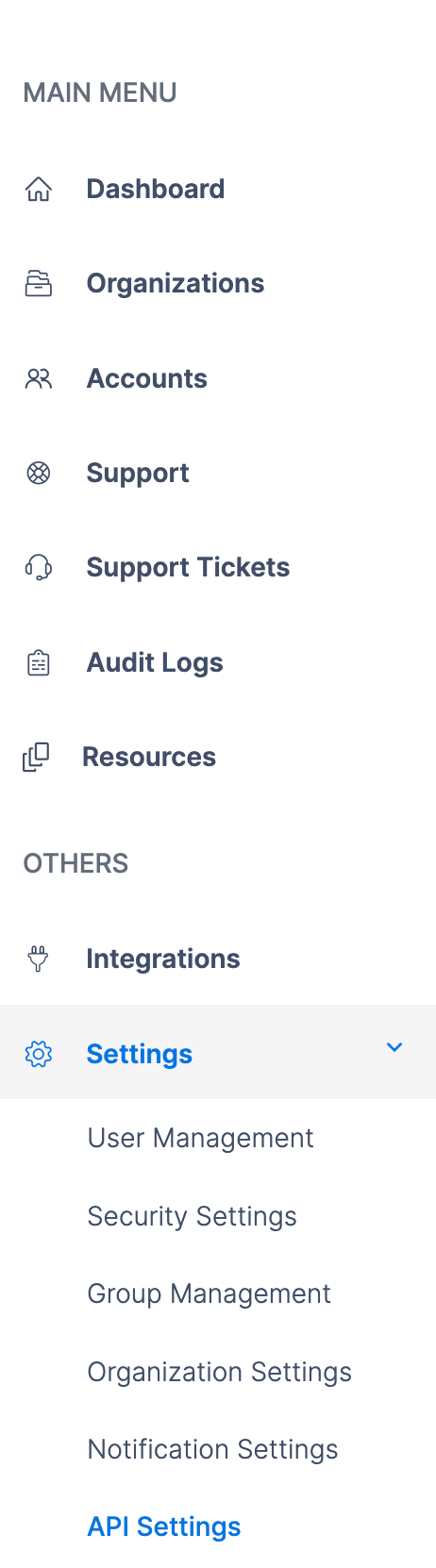
2. Navigate to **Settings** > **API Settings**.
 3. Copy the API URL, Reseller Token, and Authentication Token from the API Information section.
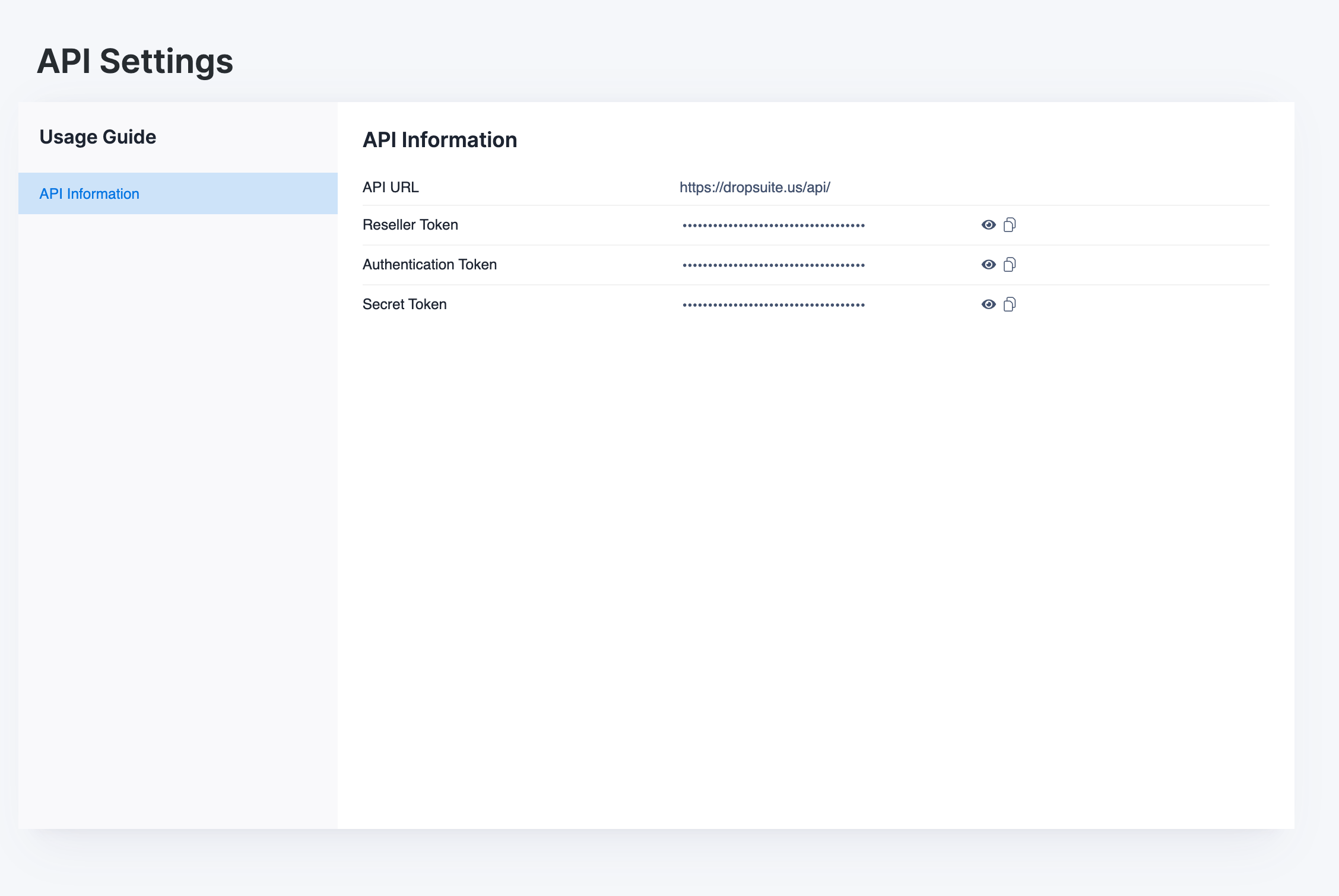 4. Convert the API URL to an API host for Nango. For example, if the API URL is `https://na-saas-npp.backup.ninjarmm.com/api/`, enter `na-saas-npp.backup.ninjarmm.com` as the API Host. Legacy Dropsuite hosts like `dropsuite.us` are also supported.
#### Step 2: Enter credentials in the Connect UI
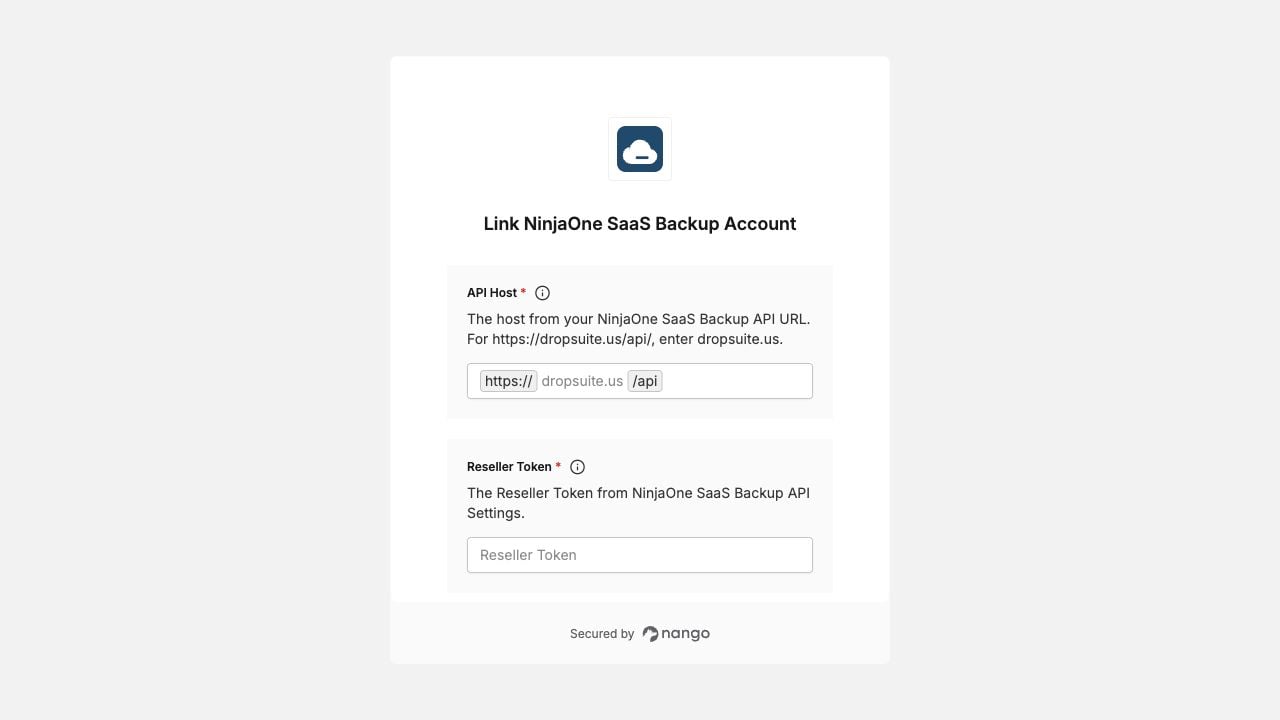
Once you have your **API Host**, **Reseller Token**, and **Authentication Token**:
1. Open the form where you need to authenticate with NinjaOne SaaS Backup.
2. Enter the values in their respective fields.
3. Submit the form, and you should be successfully authenticated.
4. Convert the API URL to an API host for Nango. For example, if the API URL is `https://na-saas-npp.backup.ninjarmm.com/api/`, enter `na-saas-npp.backup.ninjarmm.com` as the API Host. Legacy Dropsuite hosts like `dropsuite.us` are also supported.
#### Step 2: Enter credentials in the Connect UI
Once you have your **API Host**, **Reseller Token**, and **Authentication Token**:
1. Open the form where you need to authenticate with NinjaOne SaaS Backup.
2. Enter the values in their respective fields.
3. Submit the form, and you should be successfully authenticated.
 You are now connected to NinjaOne SaaS Backup.