> ## Documentation Index
> Fetch the complete documentation index at: https://nango-wari-integration-config-credentials-api.mintlify.site/llms.txt
> Use this file to discover all available pages before exploring further.
# Orange Logic - How do I link my account?
## Overview
To authenticate with Orange Logic, you will need:
1. **Server URL** - The base URL of your Orange Logic instance.
2. **Client ID** - Your OAuth 2.0 Client ID.
3. **Client Secret** - Your OAuth 2.0 Client Secret.
This guide will walk you through finding your **Server URL** and obtaining your **OAuth 2.0 Client Credentials**.
### Prerequisites:
* You must have an Orange Logic account with administrator access or access to the Administration panel.
### Instructions:
#### Step 1: Find your Orange Logic URL
Your Orange Logic Server URL is the hostname of your Orange Logic instance (e.g., `mycompany.orangelogic.com`, without the `https://` prefix). You can find it in the address bar when logged into Orange Logic.
#### Step 2: Obtain Client Credentials
1. Log in to the Orange Logic interface.
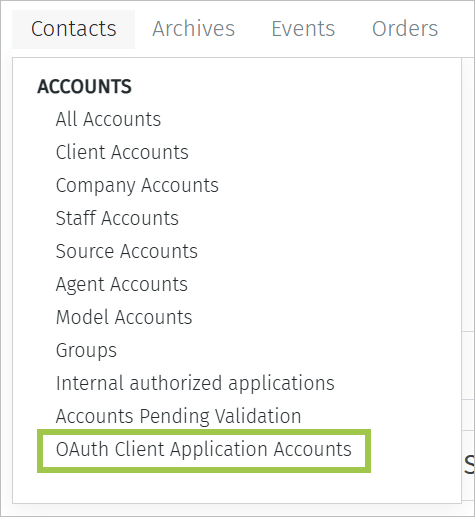
2. Go to **Administration** > **Contacts** > **Accounts** and select the account type of the user you want to authenticate. In most situations, select **OAuth Client Application Accounts**.
 3. Search for the user account.
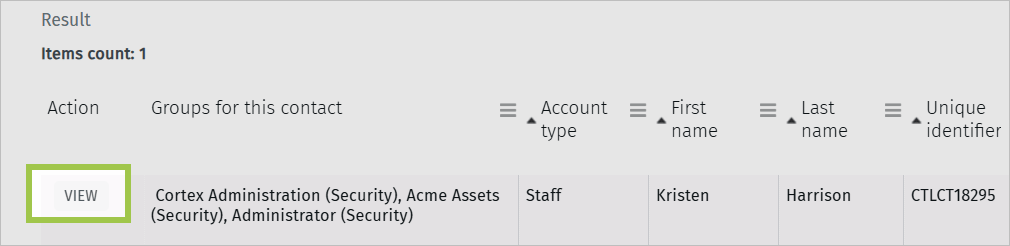
4. Click **View** next to the user you want to authenticate. The user's Account information opens.
3. Search for the user account.
4. Click **View** next to the user you want to authenticate. The user's Account information opens.
 5. Click the **OAuth 2.0 Client Credentials** button to open the Client Credentials window.
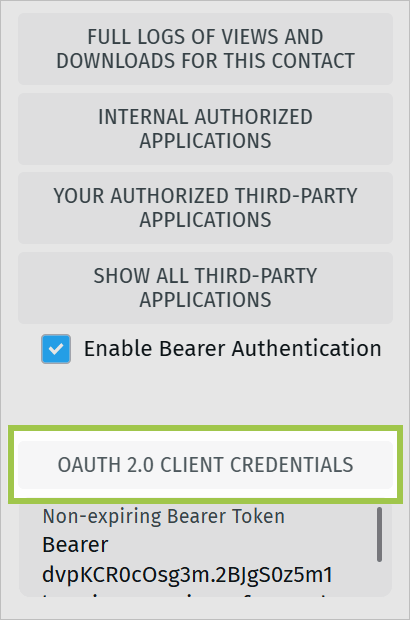 6. Copy the **Client ID** and **Client Secret**.
#### Step 3: Enter credentials in the Connect UI
1. Open the form where you need to authenticate with Orange Logic.
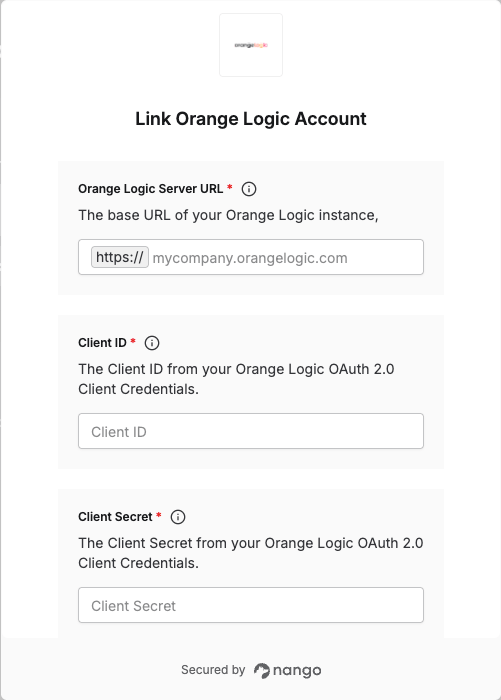
2. Enter your **Server URL**, **Client ID** and **Client Secret** in their respective fields.
3. Submit the form to complete authentication.
6. Copy the **Client ID** and **Client Secret**.
#### Step 3: Enter credentials in the Connect UI
1. Open the form where you need to authenticate with Orange Logic.
2. Enter your **Server URL**, **Client ID** and **Client Secret** in their respective fields.
3. Submit the form to complete authentication.
 You are now connected to Orange Logic.